Suggetion for the Installer

If you have any suggestions or ideas about improving Salix, here's the place to post them.
Post Reply
inukaze
Posts: 111
Joined: 24. Nov 2024, 18:42

Suggetion for the Installer

Post by inukaze »

Hi there, few moments ago i delete my partition table because i wanna make a new schema for partition like :

/dev/sda1 (Type 83 : Linux) -> for boot with 2 GiB i set boot flag
/dev/sda2 (Type 8e : LVM) -> for LVM with the rest of the free space available.

i had use cfdisk for make that partitions. and i wrote the changes.
on a root user terminal :

i create the physical volume with :

Code: Select all

pvcreate /dev/sda2
Physical volume "/dev/sda2" successfully created.
i create the group volume with :

Code: Select all

vgcreate Lignux /dev/sda2
Volume group "Lignux" successfully created
i create the logical volumes with :

Code: Select all

lvcreate -L 40G -n lv_64bits Lignux
Logical volume "lv_64bits" created.
lv_64bits Lignux for Salix 64 Bits

Code: Select all

lvcreate -L 30G -n lv_32bits Lignux
Logical volume "lv_32bits" created.
lv_32bits Lignux for Salix 32 Bits

Code: Select all

lvcreate -L 2G -n lv_intc Lignux
Logical volume "lv_intc" created.
lvcreate -L 2G -n lv_intc Lignux for Swap
Logical volume "lv_hogar" created.

Code: Select all

lvcreate -l 100%FREE -n lv_hogar Lignux
lv_hogar Lignux for my home partition.

i format my partition with:

Code: Select all

mkfs.ext4 -O ^has_journal -E discard /dev/Lignux/lv_64bits
mke2fs 1.46.5 (30-Dec-2021)
No está activado que se admitan sistemas de ficheros de 64 bits. Los campos más grandes ofrecidos por esta característica permiten la suma de comprobación más potente. Pase -O 64bit para rectificar.
Descartando los bloques del dispositivo: hecho
Se está creando un sistema de ficheros con 10485760 bloques de 4k y 2621440 nodos-i
UUID del sistema de ficheros: fa2eee58-e66c-4807-be1f-dfb489d815a5
Respaldos del superbloque guardados en los bloques:
32768, 98304, 163840, 229376, 294912, 819200, 884736, 1605632, 2654208,
4096000, 7962624

Reservando las tablas de grupo: hecho
Escribiendo las tablas de nodos-i: hecho
Escribiendo superbloques y la información contable del sistema de ficheros: hecho

Code: Select all

mkfs.ext4 -O ^has_journal -E discard /dev/Lignux/lv_32bits
mke2fs 1.46.5 (30-Dec-2021)
No está activado que se admitan sistemas de ficheros de 64 bits. Los campos más grandes ofrecidos por esta característica permiten la suma de comprobación más potente. Pase -O 64bit para rectificar.
Descartando los bloques del dispositivo: hecho
Se está creando un sistema de ficheros con 7864320 bloques de 4k y 1966080 nodos-i
UUID del sistema de ficheros: 739a51eb-7964-4fd6-83c8-9599bd021e74
Respaldos del superbloque guardados en los bloques:
32768, 98304, 163840, 229376, 294912, 819200, 884736, 1605632, 2654208,
4096000

Reservando las tablas de grupo: hecho
Escribiendo las tablas de nodos-i: hecho
Escribiendo superbloques y la información contable del sistema de ficheros: hecho

Code: Select all

mkfs.xfs -f /dev/Lignux/lv_hogar
meta-data=/dev/Lignux/lv_hogar isize=512 agcount=4, agsize=10778880 blks
= sectsz=512 attr=2, projid32bit=1
= crc=1 finobt=1, sparse=1, rmapbt=0
= reflink=1 bigtime=0 inobtcount=0
data = bsize=4096 blocks=43115520, imaxpct=25
= sunit=0 swidth=0 blks
naming =version 2 bsize=4096 ascii-ci=0, ftype=1
log =internal log bsize=4096 blocks=21052, version=2
= sectsz=512 sunit=0 blks, lazy-count=1
realtime =none extsz=4096 blocks=0, rtextents=0
Discarding blocks...Done.

Code: Select all

mkswap /dev/Lignux/lv_intc
Configurando espacio de intercambio versión 1, tamaño = 2 GiB (2147479552 bytes)
sin etiqueta, UUID=2b066328-fa62-4551-b9db-5ac3b57d2234

Code: Select all

vgscan
Found volume group "Lignux" using metadata type lvm2

Code: Select all

lvscan
ACTIVE '/dev/Lignux/lv_64bits' [40,00 GiB] inherit
ACTIVE '/dev/Lignux/lv_32bits' [30,00 GiB] inherit
ACTIVE '/dev/Lignux/lv_intc' [2,00 GiB] inherit
ACTIVE '/dev/Lignux/lv_hogar' [164,47 GiB] inherit
Well after that i try to install Salix (32 Bits) but from the USB for some unknow reason for me, the partition /dev/sdg3 can't access to the ISO file for continue with the installation, well i after copy the same file to another pendrive partition for test

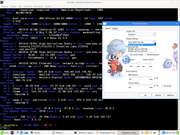
After i try to install Salix Live Xfce (64 Bits), but i can't see options for install on LVM partitions, and i don't know if the Live version came with some textual installer compatible with LVM.
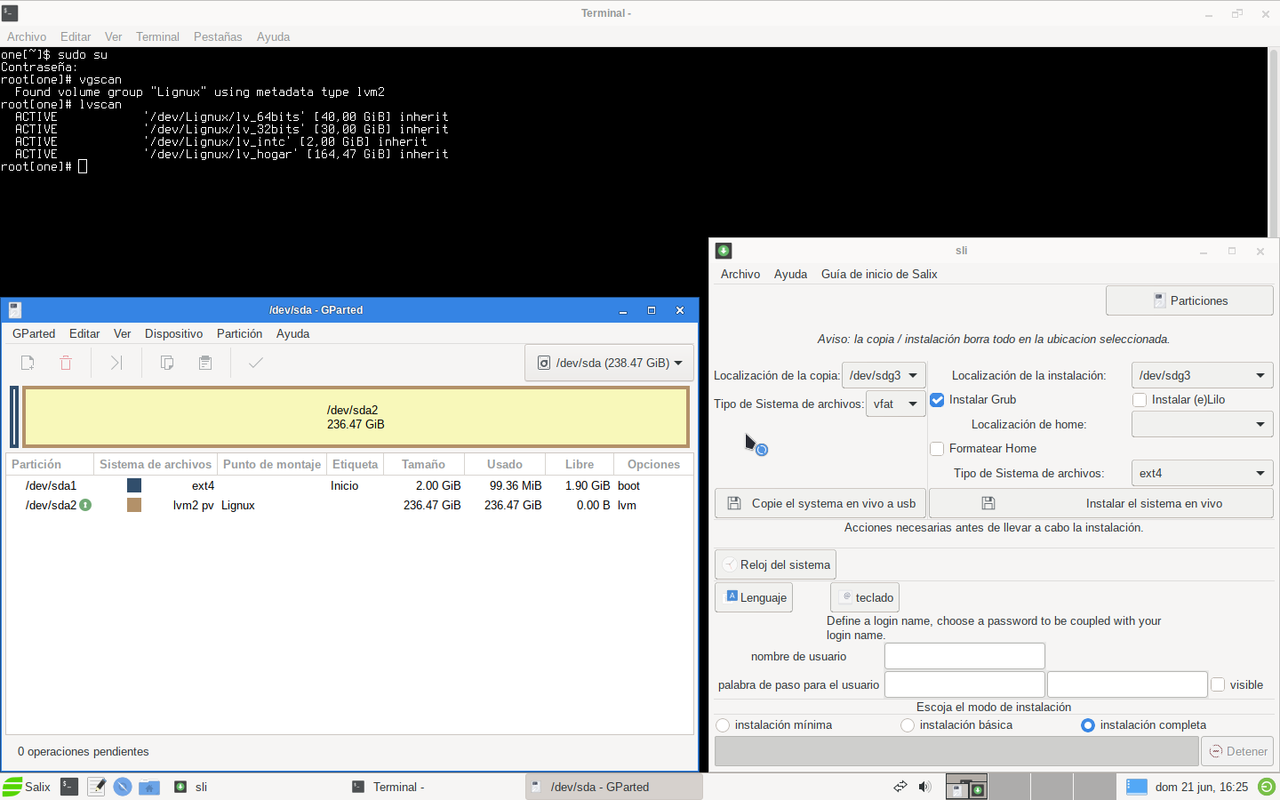
Image

Well the suggetions are :
1 - For the Live Versions, put a initrd capable to run ISO from GRUB2.
2 - For the Live Installer, add the support for LVM partitions.
inukaze
Posts: 111
Joined: 24. Nov 2024, 18:42

Re: Suggetion for the Installer

Post by inukaze »

ok i go try to install manually like i did when i installed gentoo from stage 3.

make the directories i need

Code: Select all

mkdir -p /mnt/home

Code: Select all

mkdir -p /mnt/boot
mount the partitions i need

Code: Select all

mount /dev/Lignux/lv_64bits /mnt

Code: Select all

mount /dev/Lignux/lv_hogar /mnt/home

Code: Select all

mount /dev/sda1 /mnt/boot
verify free space on disk :

Code: Select all

df -h
S.ficheros Tamaño Usados Disp Uso% Montado en
none 2,0G 120M 1,8G 7% /
/dev/sdg3 24G 22G 642M 98% /live/isodev
/dev/loop0 1,7G 1,7G 0 100% /live/media
/dev/loop1 563M 563M 0 100% /live/modules/01-core.slm
/dev/loop2 501M 501M 0 100% /live/modules/02-basic.slm
/dev/loop3 468M 468M 0 100% /live/modules/03-full.slm
/dev/loop4 1,0M 1,0M 0 100% /live/modules/04-common.slm
/dev/loop5 65M 65M 0 100% /live/modules/05-kernel.slm
/dev/loop6 21M 21M 0 100% /live/modules/06-live.slm
overlay 21M 21M 0 100% /live/system
overlay 2,0G 120M 1,8G 7% /live/union
devtmpfs 8,0M 0 8,0M 0% /dev
/dev/mapper/Lignux-lv_64bits 40G 32K 38G 1% /mnt
tmpfs 32M 1,2M 31M 4% /run
tmpfs 2,0G 504K 2,0G 1% /tmp
tmpfs 2,0G 0 2,0G 0% /dev/shm
cgroup_root 8,0M 0 8,0M 0% /sys/fs/cgroup
tmpfs 2,0G 0 2,0G 0% /var/tmp
tmpfs 393M 20K 393M 1% /run/user/1000
/dev/sdg1 31G 28G 3,8G 88% /run/media/one/INU05
/dev/mapper/Lignux-lv_hogar 165G 1,2G 164G 1% /mnt/home
/dev/sda1 2,0G 24K 1,8G 1% /mnt/boot
copy the filesystem in use from Live Environment :

Code: Select all

rsync -aHAX /bin /sbin /usr /etc /lib /lib64 /var /opt /root /mnt/
i must create inside the mountpoint for my new root filesystem, the folders need by the system :

Code: Select all

mkdir -p /mnt/proc /mnt/sys /mnt/dev /mnt/tmp /mnt/run /mnt/media /mnt/boot /mnt/home
i set the right permissions for my new /tmp

Code: Select all

chmod 1777 /mnt/tmp
mount the partitions and the right binds to make the chroot works fine :

Code: Select all

mount /dev/sda1 /mnt/boot
mount /dev/Lignux/lv_hogar /mnt/home
mount --bind /dev /mnt/dev
mount --bind /proc /mnt/proc
mount --bind /sys /mnt/sys
Enter in chroot mode to my new SalixOS installed manually :

Code: Select all

chroot /mnt /bin/bash
i must write correctly without errors my /etc/fstab :

Code: Select all

cat << 'EOF' > /etc/fstab
/dev/Lignux/lv_64bits   /        ext4        noatime,discard   1   1
/dev/sda1               /boot    ext4        noatime           1   2
/dev/Lignux/lv_hogar    /home    xfs         noatime           1   2
/dev/Lignux/lv_intc     swap     swap        defaults          0   0
EOF
i need set the right version of linux

Code: Select all

KERNEL_VERSION=$(ls /lib/modules)
5.15.63
i need make a new initrd (Initial Ram Disk Image with LVM support) :

Code: Select all

mkinitrd -c -k $KERNEL_VERSION -m lvm -f ext4 -r /dev/Lignux/lv_64bits
48490 bloques
/boot/initrd.gz created.
Be sure to run lilo again if you use it.
I must set the machine name in the file /etc/HOSTNAME :

Code: Select all

echo "Salix64" > /etc/HOSTNAME
I must set the IP's right on my /etc/hosts file to the system not give me errors :

Code: Select all

cat << 'EOF' > /etc/hosts
#
# hosts        Este archivo describe una serie de asignaciones entre nombres
#              de equipo y direcciones para el subsistema TCP/IP. Se utiliza
#              mayormente durante el arranque, cuando no hay servidores de
#              nombres activos. En sistemas pequeños, este archivo se puede
#              usar en lugar de un servidor de nombres "named". Simplemente
#              añada las direcciones, nombres y alias a este archivo...
#
# Por cierto, Arnt Gulbrandsen <agulbra@nvg.unit.no> indica que la dirección
# 127.0.0.1 NUNCA debe asociarse al nombre real de la máquina. Causa problemas
# en ciertos programas (mal diseñados), como irc y supuestamente talk. :^)
#

# Para el bucle de retorno local (loopback).
127.0.0.1       localhost

# La siguiente entrada resuelve las peticiones locales del sistema operativo.
# Reemplaza la configuración genérica del medio en vivo por tu host definitivo.
127.0.0.1       Salix64.localdomain Salix64
::1             localhost ip6-localhost ip6-loopback

# Fin de hosts.
EOF
i must set the root password, i use temporally "root" like password its more important enter in the system first
after i check works fine i change that password for one more secure.

Code: Select all

passwd root
Nueva contraseña:
CONTRASEÑA INCORRECTA: La contraseña tiene menos de 6 caracteres
Vuelva a escribir la nueva contraseña:
passwd: contraseña actualizada correctamente
i use my user to the system :

Code: Select all

useradd -m -g users -G wheel,audio,video,cdrom,plugdev,power,floppy -s /bin/bash inukaze
i set the password for my user "inukaze" :

Code: Select all

passwd inukaze
Nueva contraseña:
Vuelva a escribir la nueva contraseña:
passwd: contraseña actualizada correctamente

i need know the UUID of my boot partition :

Code: Select all

blkid /dev/sda1
/dev/sda1: LABEL="Inicio" UUID="a0863292-7491-495e-bf69-5bbacb39405c" BLOCK_SIZE="4096" TYPE="ext4" PARTUUID="95461f13-01"
well i install grub on my ssd

Code: Select all

grub-install /dev/sda
Instalando para plataforma i386-pc.
Instalación terminada. No se notificó ningún error.
i must write correctly the grub configuration file :

Code: Select all

cat << 'EOF' > /boot/grub/grub.cfg
# Configuración Primordial de GRUB2 - Salix64 LVM
set menu_color_normal=white/black
set menu_color_highlight=light-blue/black

set timeout=5
set default=0

menuentry 'Salix OS 15.0 Xfce (64 Bits) - Núcleo 5.15.63 [LVM]' {
    insmod part_msdos
    insmod ext2
    
    # Búsqueda inequívoca de la partición de arranque física por su identificador
    set rootuuid="a0863292-7491-495e-bf69-5bbacb39405c"
    search --no-floppy --fs-uuid --set=root $rootuuid
    
    # Parámetros del núcleo:
    # 'dolvm' ordena al initrd inicializar el grupo de volúmenes Lignux
    # 'root=' apunta al volumen lógico mapeado de la raíz de forma estricta
    linux /vmlinuz-5.15.63 root=/dev/Lignux/lv_64bits ro dolvm vga=791 locale=es_ES.utf8 keymap=es noatime
    
    # Carga del sistema de archivos temporal con soporte LVM empaquetado
    initrd /initrd.gz
}
EOF
i use the script to check my /boot/grub/grub.cfg has no errors :

Code: Select all

grub-script-check /boot/grub/grub.cfg
well its the moment to exit from the chroot environment

Code: Select all

exit
just left umount the partitions i don't need anymore for the chroot :

Code: Select all

umount /mnt/sys

Code: Select all

umount /mnt/proc

Code: Select all

umount /mnt/dev

Code: Select all

umount /mnt/boot

Code: Select all

umount /mnt/home

Code: Select all

cd /

Code: Select all

umount /mnt
inukaze
Posts: 111
Joined: 24. Nov 2024, 18:42

Re: Suggetion for the Installer

Post by inukaze »

Well, after a previous restart I noticed two critical missing points:

1 - In the initrd, /sbin/lvm did not exist because mkinitrd was originally executed inside the chroot before the LVM tools were fully available or indexed there, resulting in a stripped-down 48,490-block image without the binary.
2 - I forgot to copy the vmlinuz file to the right physical boot partition.

So, I wrote the entire procedure again from scratch with the proper fixes, installing manually much like doing a Gentoo installation from a Stage 3 tarball.

First, create the mount points needed for the manual installation:

Code: Select all

mkdir -p /mnt/home

Code: Select all

mkdir -p /mnt/boot
Now, mount the target root filesystem and target partitions from the Live Environment:

Code: Select all

mount /dev/Lignux/lv_64bits /mnt

Code: Select all

mount /dev/Lignux/lv_hogar /mnt/home

Code: Select all

mount /dev/sda1 /mnt/boot
Verify the free space and layout on the disks:

Code: Select all

df -h

Code: Select all

S.ficheros                   Tamaño Usados  Disp Uso% Montado en
none                           2,0G   120M  1,8G   7% /
/dev/sdg3                       24G    22G  642M  98% /live/isodev
/dev/loop0                     1,7G   1,7G     0 100% /live/media
/dev/loop1                     563M   563M     0 100% /live/modules/01-core.slm
/dev/loop2                     501M   501M     0 100% /live/modules/02-basic.slm
/dev/loop3                     468M   468M     0 100% /live/modules/03-full.slm
/dev/loop4                     1,0M   1,0M     0 100% /live/modules/04-common.slm
/dev/loop5                      65M    65M     0 100% /live/modules/05-kernel.slm
/dev/loop6                      21M    21M     0 100% /live/modules/06-live.slm
overlay                         21M    21M     0 100% /live/system
overlay                        2,0G   120M  1,8G   7% /live/union
devtmpfs                       8,0M      0  8,0M   0% /dev
/dev/mapper/Lignux-lv_64bits    40G    32K   38G   1% /mnt
tmpfs                           32M   1,2M   31M   4% /run
tmpfs                          2,0G   504K  2,0G   1% /tmp
tmpfs                          2,0G      0  2,0G   0% /dev/shm
cgroup_root                    8,0M      0  8,0M   0% /sys/fs/cgroup
tmpfs                          2,0G      0  2,0G   0% /var/tmp
tmpfs                          393M    20K  393M   1% /run/user/1000
/dev/sdg1                       31G    28G  3,8G  88% /run/media/one/INU05
/dev/mapper/Lignux-lv_hogar    165G   1,2G  164G   1% /mnt/home
/dev/sda1                      2,0G    24K  1,8G   1% /mnt/boot
Copy the running filesystem from the Live Environment to our target SSD:

Code: Select all

rsync -aHAX /bin /sbin /usr /etc /lib /lib64 /var /opt /root /mnt/
Set the correct sticky bit permissions for our new /tmp directory:

Code: Select all

chmod 1777 /mnt/tmp
Determine the right kernel version variable from the active Live environment:

Code: Select all

KERNEL_VERSION=$(ls /lib/modules)

Code: Select all

5.15.63
Copy the vmlinuz file directly to our dedicated physical boot partition (/dev/sda1 mapped at /mnt/boot):

Code: Select all

cp /boot/vmlinuz /mnt/boot/vmlinuz-$KERNEL_VERSION
We need to generate the initrd.gz WITH LVM support. Since the chroot environment doesn't have the LVM binaries indexed yet, we generate it from the Live environment (where LVM is active and fully functional) pointing to our target directory using the -d switch:

Code: Select all

mkinitrd -c -k $KERNEL_VERSION -m lvm -f ext4 -r /dev/Lignux/lv_64bits -L -d /mnt

Code: Select all

59120 bloques
/boot/initrd.gz created.
Be sure to run lilo again if you use it.
Now we prepare the virtual filesystems and enter the chroot jail safely:

Code: Select all

mount --bind /dev /mnt/dev
mount --bind /proc /mnt/proc
mount --bind /sys /mnt/sys
chroot /mnt /bin/bash
Write the filesystem table (/etc/fstab) cleanly using a Here-Doc block:

Code: Select all

cat << 'EOF' > /etc/fstab
/dev/Lignux/lv_64bits   /        ext4        noatime,discard   1   1
/dev/sda1               /boot    ext4        noatime           1   2
/dev/Lignux/lv_hogar    /home    xfs         noatime           1   2
/dev/Lignux/lv_intc     swap     swap        defaults          0   0
EOF
Set the system identity in the /etc/HOSTNAME file:

Code: Select all

echo "Salix64" > /etc/HOSTNAME
Set up the /etc/hosts file with a strict 80-column limit to ensure proper local network resolution:

Code: Select all

cat << 'EOF' > /etc/hosts
#
# hosts        Este archivo describe una serie de asignaciones entre nombres
#              de equipo y direcciones para el subsistema TCP/IP. Se utiliza
#              mayormente durante el arranque, cuando no hay servidores de
#              nombres activos. En sistemas pequeños, este archivo se puede
#              usar en lugar de un servidor de nombres "named". Simplemente
#              añada las direcciones, nombres y alias a este archivo...
#
# Por cierto, Arnt Gulbrandsen <agulbra@nvg.unit.no> indica que la dirección
# 127.0.0.1 NUNCA debe asociarse al nombre real de la máquina. Causa problemas
# en ciertos programas (mal diseñados), como irc y supuestamente talk. :^)
#

# For loopbacking.
127.0.0.1       localhost

# The following entry resolves local queries for the final host identity.
127.0.0.1       Salix64.localdomain Salix64
::1             localhost ip6-localhost ip6-loopback

# End of hosts.
EOF
Set a temporary password for the root administrator account to guarantee access upon reboot:

Code: Select all

passwd root

Code: Select all

Nueva contraseña: 
CONTRASEÑA INCORRECTA: La contraseña tiene menos de 6 caracteres
Vuelva a escribir la nueva contraseña: 
passwd: contraseña actualizada correctamente
Create the regular user account and assign it to the essential Slackware system groups:

Code: Select all

useradd -m -g users -G wheel,audio,video,cdrom,plugdev,power,floppy -s /bin/bash inukaze
Set the password for the new regular user:

Code: Select all

passwd inukaze

Code: Select all

Nueva contraseña: 
Vuelva a escribir la nueva contraseña: 
passwd: contraseña actualizada correctamente
Find the exact UUID of the physical boot partition to ensure GRUB2 configuration consistency:

Code: Select all

blkid /dev/sda1

Code: Select all

/dev/sda1: LABEL="Inicio" UUID="a0863292-7491-495e-bf69-5bbacb39405c" BLOCK_SIZE="4096" TYPE="ext4" PARTUUID="95461f13-01"
Install the GRUB2 bootloader binary onto the Master Boot Record (MBR) of the SSD:

Code: Select all

grub-install /dev/sda

Code: Select all

Instalando para plataforma i386-pc.
Instalación terminada. No se notificó ningún error.
Write the custom GRUB2 configuration file, targeting the boot partition via its unique UUID and passing the 'dolvm' parameter to the kernel:

Code: Select all

cat << 'EOF' > /boot/grub/grub.cfg
# Core GRUB2 Configuration - Salix64 LVM
set menu_color_normal=white/black
set menu_color_highlight=light-blue/black

set timeout=5
set default=0

menuentry 'Salix OS 15.0 Xfce (64 Bits) - Núcleo 5.15.63 [LVM]' {
    insmod part_msdos
    insmod ext2
    
    # Unambiguous search of the physical boot partition by its UUID
    set rootuuid="a0863292-7491-495e-bf69-5bbacb39405c"
    search --no-floppy --fs-uuid --set=root $rootuuid
    
    # Kernel parameters: 'dolvm' triggers LVM initialization at early boot
    linux /vmlinuz-5.15.63 root=/dev/Lignux/lv_64bits ro dolvm vga=791 locale=es_ES.utf8 keymap=es noatime
    
    # Load the ramdisk containing the required LVM binaries
    initrd /initrd.gz
}
EOF
Run a sanity check on the configuration file syntax to ensure there are no errors:

Code: Select all

grub-script-check /boot/grub/grub.cfg
Everything is set. Now exit the chroot environment safely:

Code: Select all

exit
Unmount all the system virtual trees and partitions cleanly to flush remaining data buffers to disk:

Code: Select all

umount /mnt/sys

Code: Select all

umount /mnt/proc

Code: Select all

umount /mnt/dev

Code: Select all

umount /mnt/boot

Code: Select all

umount /mnt/home

Code: Select all

cd /

Code: Select all

umount /mnt
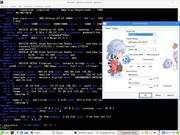
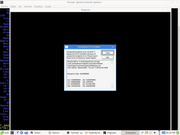
Here is a screenshot of the manual installation running perfectly on Salix Live Xfce (64 Bits) with LVM architecture:
Image
Post Reply