We saw how we can create a certificate for our domains.
Now will see step by step how we can create our own radio station using a dynamic domain and the certificates we had created.
I try to be as simple as i can and most work can be done by copy and paste.
1. First have to create a dynamic domain e.g. on noip.me lets use for this "how to" the foo.ddns.net
2. we have to open on our router the ports 80 for httpd, 8000 for icecast, 443 for ssl, 8443 secure port for icecast
I have build for salix 64 bit the packages because packages i use for slackel do not run on salix of course.
3. Download and install icecast package
Code: Select all
sudo spkg icecast-2.5.0-x86_64-1dj.txzCode: Select all
sudo sed -i "s/meraklis.ddns.net/foo.ddns.net/g" /etc/rc.d/rc.icecastCode: Select all
sudo spkg libigloo-0.9.5-x86_64-1dj.txzCode: Select all
sudo slapt-get -i rhashCode: Select all
sudo spkg mpd-0.23.9-x86_64-1dj.txzCode: Select all
sudo spkg mympd-25.0.1-x86_64-1dj.txzCode: Select all
sudo slapt-get -i libmpdclientCode: Select all
sudo spkg mpc-0.35-x86_64-1dj.txzCode: Select all
sudo slapt-get -u
sudo slapt-get -i icecast mpd mympd mpcCode: Select all
<icecast>
    <location>Greece</location>
    <admin>admin</admin>

    <limits>
        <clients>100</clients>
        <sources>2</sources>
        <queue-size>524288</queue-size>
        <client-timeout>30</client-timeout>
        <header-timeout>15</header-timeout>
        <source-timeout>10</source-timeout>
        <burst-size>65535</burst-size>
    </limits>

    <authentication>
        <source-password>hackme</source-password>
        <relay-password>hackme</relay-password>
        <admin-user>admin</admin-user>
        <admin-password>hackme</admin-password>
    </authentication>

    <yp-directory url="https://dir.xiph.org/cgi-bin/yp-cgi">
        <option name="timeout" value="15" />
    </yp-directory>

    <hostname>foo.ddns.net</hostname> <!-- replace foo.ddns.net with you own domain -->
    <fileserve>1</fileserve>

    <listen-socket>
        <port>8000</port>
        <shoutcast-mount>/live</shoutcast-mount>
        <charset>UTF-8</charset>
    </listen-socket>

   	<mount type="default">
		<mount-name>/live</mount-name>
		<charset>UTF-8</charset>
    </mount>

    <listen-socket>
        <port>8443</port>
        <shoutcast-mount>/live</shoutcast-mount>
        <charset>UTF-8</charset>
        <ssl>1</ssl>
    </listen-socket>

    <http-headers>
        <header name="Access-Control-Allow-Origin" value="*" />
        <header name="Access-Control-Allow-Headers" value="Origin, X-Requested-With, Content-Type, Accept" />
		<header name="Access-Control-Allow-Methods" value="GET, OPTIONS" />
    </http-headers>

    <paths>
        <basedir>/usr/share/icecast</basedir>

        <logdir>/var/log/icecast</logdir>
        <webroot>/usr/share/icecast/web</webroot>
        <adminroot>/usr/share/icecast/admin</adminroot>
        <alias source="/" dest="/status.xsl"/>
    </paths>

    <logging>
        <accesslog>access.log</accesslog>
        <errorlog>error.log</errorlog>
        <loglevel>3</loglevel> <!-- 4 Debug, 3 Info, 2 Warn, 1 Error -->
        <logsize>10000</logsize>
    </logging>

    <security>
        <chroot>0</chroot>
        <changeowner>
            <user>nobody</user>
            <group>nogroup</group>
        </changeowner>

        <tls-context>
                <!-- The certificate file containng public and optionally private key.
                Must be PEM encoded. -->
                <tls-certificate>/etc/icecast2/bundle.pem</tls-certificate>
                <!-- The private key if not contained in <tls-certificate>.
                Must be PEM encoded. -->
                <!--   <tls-key>/etc/icecast2/privkey.pem</tls-key> -->
        </tls-context>
    </security>
</icecast>7. Create the certification key for icecast secure connection.The fullchain.pem and privkey.pem we have created on
previous posts "Steps to configure Dehydrated for ZeroSSL and Let's Encrypt for One IP and multiple domains"
or "Steps to configure Dehydrated for ZeroSSL and Let's Encrypt"
for foo.ddns.net, have to be copied in bundle.pem (we use it in icecast.xml above in line <tls-certificate>/etc/icecast2/bundle.pem</tls-certificate>)
Code: Select all
mkdir -p /etc/icecast2
cat /etc/dehydrated/certs-letsencrypt/foo.ddns.net/fullchain.pem /etc/dehydrated/certs-letsencrypt/foo.ddns.net/privkey.pem > /etc/icecast2/bundle.pem
chown nobody:nogroup /etc/icecast2/*
chmod 600 /etc/icecast2/*Copy this to /etc/mpd.conf
Code: Select all
# An example configuration file for MPD.
# Read the user manual for documentation: http://www.musicpd.org/doc/user/
# Files and directories ###############
music_directory		"~/music"
playlist_directory	"~/.mpd/playlists"
db_file				"~/.mpd/database"
log_file			"~/.mpd/log"
pid_file			"~/.mpd/pid"
state_file			"~/.mpd/state"
sticker_file		"~/.mpd/sticker.sql"
## Replace myuser with yours mpd has to run as current user and no root
user 				"myuser"
# For network
bind_to_address "localhost"
port				"6600"
restore_paused "no"
metadata_to_use "artist,album,title"
auto_update	"yes"
default_permissions             "read,add,control,admin"
audio_output {
	type		"shout"
	encoder		"vorbis"
#	encoding    "mp3"		# optional
	name		"My Radio"
	host		"localhost"
	port		"8000"
	mount		"/live"
	password	"hackme"
	bitrate		"128"
	format		"44100:16:2"
	description	"Greek - Rock" # optional
	genre		"Greek GREEK greek Greece greece "			# optional
	public		"yes"			# optional
    mixer_type  "software"
}
filesystem_charset "UTF-8"name "My Radio"
description "Greek - Rock" # optional
genre "Greek GREEK greek Greece greece " with whatever you like
9. Set up mympd web UI client for mpd. I have created a script which automatically set up mympd with your radio domain.
Code: Select all
sudo RADIO="https://foo.ddns.net" sh /usr/src/mympd/config-helper.sh 10.1 Edit /etc/httpd/httpd.conf
Be sure the lines to be uncommented
Code: Select all
Listen 80
LoadModule proxy_module lib64/httpd/modules/mod_proxy.so
LoadModule proxy_http_module lib64/httpd/modules/mod_proxy_http.so
LoadModule proxy_wstunnel_module lib64/httpd/modules/mod_proxy_wstunnel.so
LoadModule rewrite_module lib64/httpd/modules/mod_rewrite.so
LoadModule ssl_module lib64/httpd/modules/mod_ssl.so

Include /etc/httpd/extra/httpd-vhosts.conf
Include /etc/httpd/mod_php.confCode: Select all
#Include /etc/httpd/extra/httpd-ssl.confCode: Select all
#
# DirectoryIndex: sets the file that Apache will serve if a directory
# is requested.
#
<IfModule dir_module>
    DirectoryIndex index.html index.php
</IfModule>Code: Select all
# Virtual Hosts
#
# Required modules: mod_log_config

# If you want to maintain multiple domains/hostnames on your
# machine you can setup VirtualHost containers for them. Most configurations
# use only name-based virtual hosts so the server doesn't need to worry about
# IP addresses. This is indicated by the asterisks in the directives below.
#
# Please see the documentation at
# <URL:http://httpd.apache.org/docs/2.4/vhosts/>
# for further details before you try to setup virtual hosts.
#
# You may use the command line option '-S' to verify your virtual host
# configuration.

#
# VirtualHost example:
# Almost any Apache directive may go into a VirtualHost container.
# The first VirtualHost section is used for all requests that do not
# match a ServerName or ServerAlias in any <VirtualHost> block.
#
####
Listen 443
SSLCipherSuite HIGH:MEDIUM:!MD5:!RC4:!3DES
SSLProxyCipherSuite HIGH:MEDIUM:!MD5:!RC4:!3DES
SSLHonorCipherOrder on
SSLProtocol all -SSLv3
SSLProxyProtocol all -SSLv3
SSLPassPhraseDialog  builtin
SSLSessionCache        "shmcb:/var/run/ssl_scache(512000)"
SSLSessionCacheTimeout  300
####

<VirtualHost *:80>
    ServerAdmin webmaster@foo.ddns.net
    DocumentRoot "/srv/httpd/htdocs"
    ServerName foo.ddns.net
    ErrorLog "/var/log/httpd/foo.ddns.net-error_log"
    CustomLog "/var/log/httpd/foo.ddns.net-access_log" common

    RewriteEngine On
	RewriteCond %{HTTPS} off
	RewriteRule (.*) https://%{HTTP_HOST}%{REQUEST_URI}
	#RewriteRule ^(.*)$ https://%{HTTP_HOST}%{REQUEST_URI} [R=301,L]
</VirtualHost>

<VirtualHost *:443>
DocumentRoot "/srv/httpd/htdocs/"
ServerName foo.ddns.net:443
ErrorLog "/var/log/httpd/foo.ddns.net-error_log"
CustomLog "/var/log/httpd/foo.ddns.net-access_log" common

    SSLEngine on
    SSLCertificateFile      /etc/dehydrated/certs-letsencrypt/foo.ddns.net/cert.pem
    SSLCertificateKeyFile   /etc/dehydrated/certs-letsencrypt/foo.ddns.net/privkey.pem
    SSLCertificateChainFile /etc/dehydrated/certs-letsencrypt/foo.ddns.net/chain.pem

    RewriteEngine On

    # --- myMPD Configuration ---
    # Automatically add slash if user writes /mympd, then redirect to /mympd/
    # The [R=301,L] makes a permanent redirect and stops processing here
    RewriteRule ^/mympd$ /mympd/ [R=301,L]

    # 1. myMPD Interface
    <Location /mympd>
        # We want a password for user admin, to not let anyone to log in to mympd UI
		# Password set with "sudo htpasswd -c /etc/httpd/.htpasswd admin"
        AuthType Basic
        AuthName "myMPD Control"
        AuthUserFile /etc/httpd/.htpasswd
        Require valid-user

        ProxyPass http://127.0.0.1:8081
        ProxyPassReverse http://127.0.0.1:8081
    </Location>

    # 2. myMPD WebSockets (Necessary for UI)
    <Location /mympd/ws>
        ProxyPass ws://127.0.0.1:8081/ws
        ProxyPassReverse ws://127.0.0.1:8081/ws
    </Location>

	# 3. Στατικά αρχεία (Required for page rendering)
	<Location /mympd/static>
		ProxyPass http://127.0.0.1:8081
		ProxyPassReverse http://127.0.0.1:8081
	</Location>

</VirtualHost>Code: Select all
sudo htpasswd -c /etc/httpd/.htpasswd adminCode: Select all
sudo killall httpd
sudo service start httpdCode: Select all
ps ax |grep httpdCode: Select all
4759 pts/2    S+     0:00 grep httpd
12079 ?        Ss     0:03 /usr/sbin/httpd -k start
12080 ?        Sl     0:03 /usr/sbin/httpd -k start
12082 ?        Sl     0:03 /usr/sbin/httpd -k start
12136 ?        Sl     0:02 /usr/sbin/httpd -k start
12304 ? Sl 0:04 /usr/sbin/httpd -k startCode: Select all
sudo service start icecast13. start mpd
Code: Select all
sudo service start mpd14. start mympd
Code: Select all
sudo service start mympdcheck if icecast is running
Code: Select all
ps ax |grep icecastCode: Select all
1610 ? Sl 0:23 /usr/bin/icecast -c /etc/icecast.xml -bcheck if mpd, mympd are running
Code: Select all
ps ax |grep mpdCode: Select all
 1714 ?        Ssl   14:40 /usr/bin/mpd /etc/mpd.conf
 1791 ?        S      0:00 su -s /bin/sh -c /usr/bin/mympd -w /var/lib/mympd -a /var/lib/mympd/cache mympd
 1793 ?        Ssl    0:00 /usr/bin/mympd -w /var/lib/mympd -a /var/lib/mympd/cache[code]
we see mpd is running using /etc/mpd.conf config file and mympd is running also as user mympd which created from config-helper.sh script above.


check in which ports icecast, mpd, mympd are listening (I got these from my icecast, mpd, mympd used for my radio station to show the output of commands)
djemos[~]$ sudo netstat -anpt | grep  'icecast'
we see icecast is listening on 8000, 8443 from outside 127.0.0.1:8000 is our inside port
[code]tcp6       0      0 :::8000                 :::*                    LISTEN      1610/icecast
tcp6       0      0 :::8001                 :::*                    LISTEN      1610/icecast
tcp6       0      0 :::8444                 :::*                    LISTEN      1610/icecast
tcp6       0      0 :::8443                 :::*                    LISTEN      1610/icecast
tcp6       0      0 192.168.1.210:8443      85.75.211.110:43202     ESTABLISHED 1610/icecast
tcp6       0      0 127.0.0.1:8000          127.0.0.1:39658         ESTABLISHED 1610/icecast
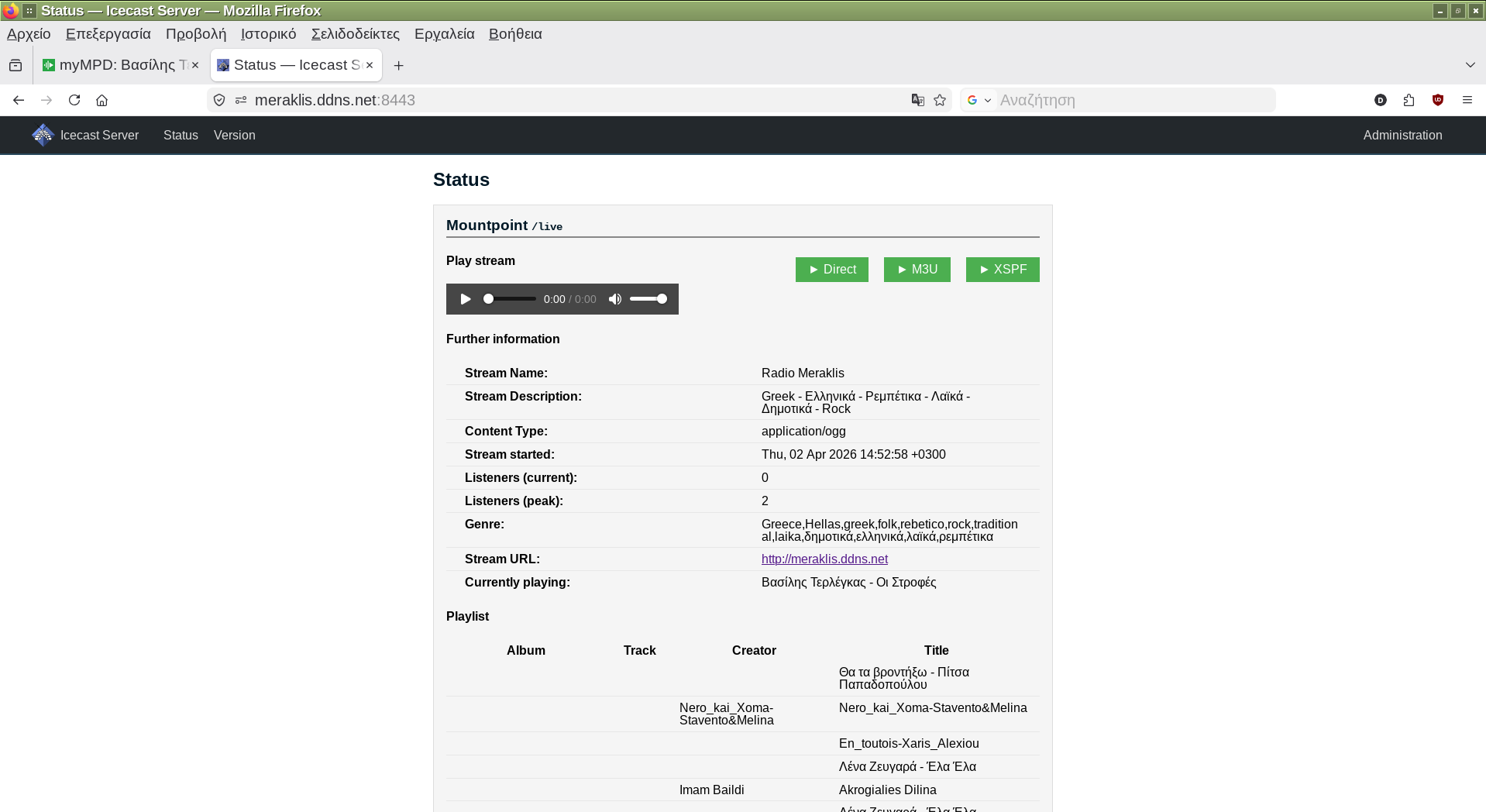
192.168.1.210:8443 is my local ip to secure port 8443 and 85.75.211.110 is my dynamic ip i get from my host provider this is the ip of my meraklis.ddns.net domain so when user type on firefox https://meraklis.ddns.net as we see bellow they are listening to my "Meraklis Radio"
or typing https://meraklis.ddns.net:8443/live on vlc or smplayer or exaile they llisten to "My Radio" station. Same for http://meraklis.ddns.net:8000/live unsecured connection used by https://dir.xiph.org/ radios directory
Code: Select all
sudo netstat -anpt |grep mpdCode: Select all
tcp        0      0 127.0.0.1:6600          0.0.0.0:*               LISTEN      1714/mpd
tcp        0      0 127.0.0.1:6600          127.0.0.1:50884         ESTABLISHED 1714/mpd
tcp 0 0 127.0.0.1:39658 127.0.0.1:8000 ESTABLISHED 1714/mpdCode: Select all
sudo netstat -anpt |grep mympdCode: Select all
tcp        0      0 127.0.0.1:8081          0.0.0.0:*               LISTEN      1793/mympd
tcp        0      0 127.0.0.1:8081          127.0.0.1:34994         ESTABLISHED 1793/mympd
tcp        0      0 127.0.0.1:8081          127.0.0.1:52924         ESTABLISHED 1793/mympd
tcp        0      0 127.0.0.1:8081          127.0.0.1:56132         ESTABLISHED 1793/mympd
tcp        0      0 127.0.0.1:8081          127.0.0.1:33188         ESTABLISHED 1793/mympd
tcp        0      0 127.0.0.1:50882         127.0.0.1:6600          ESTABLISHED 1793/mympd
tcp        0      0 127.0.0.1:50884         127.0.0.1:6600          ESTABLISHED 1793/mympd
tcp        0      0 127.0.0.1:8081          127.0.0.1:38972         ESTABLISHED 1793/mympd
tcp        0      0 127.0.0.1:8081          127.0.0.1:35334         ESTABLISHED 1793/mympd
tcp        0      0 127.0.0.1:8081          127.0.0.1:56130         ESTABLISHED 1793/mympd
tcp        0      0 127.0.0.1:8081          127.0.0.1:41094         ESTABLISHED 1793/mympd
tcp        0      0 127.0.0.1:8081          127.0.0.1:35022         ESTABLISHED 1793/mympd
tcp        0      0 127.0.0.1:8081          127.0.0.1:38970         ESTABLISHED 1793/mympd
tcp 0 0 127.0.0.1:8081 127.0.0.1:34992 ESTABLISHED 1793/mympd16. If you have created your playlists then typing on Firefox
https://foo.ddns.net/mympd
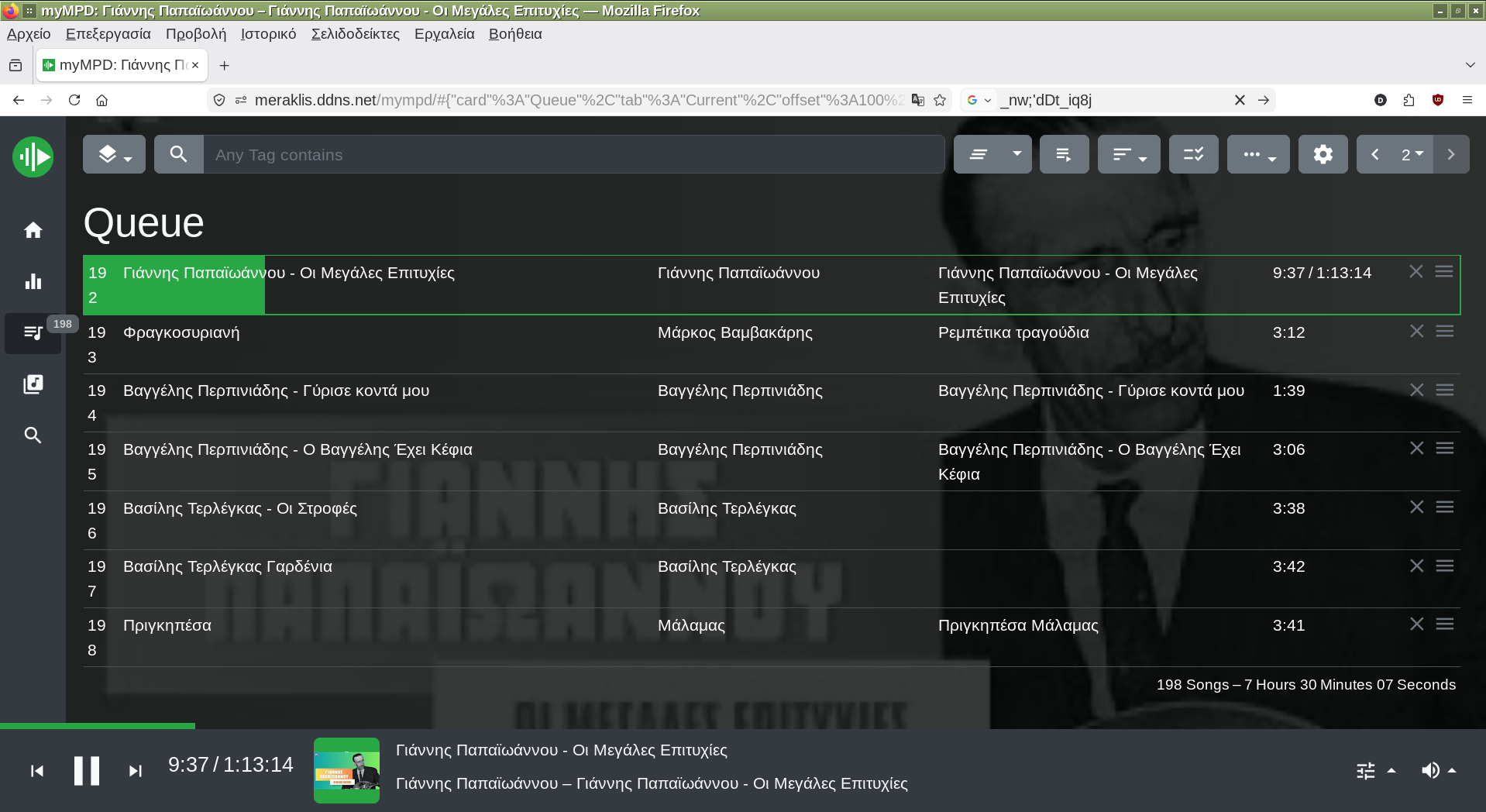
you will see mympd interface from where can add playlists or songs to play in random or single mode etc
Your stream url is https://foo.ddns.net:8443/live or insecure http://foo.ddns.net:8000
https://foo.ddns.net:8443 goes to icecast web interface where can log in as administrator using username:admin and pass:hackme
typing https://foo.ddns.net/mympd on you mobile phone can control your radio from where you are.
also for listen from you phone type https://foo.ddns.net:8443/live
or for icecast web type https://foo.ddns.net:8443 or http://foo.ddns.net:8000
These https://foo.ddns.net:8443/live or http://foo.ddns.net:8000/live can be used on vlc or smplayer or exaile to listen to your radio from outside on internet.
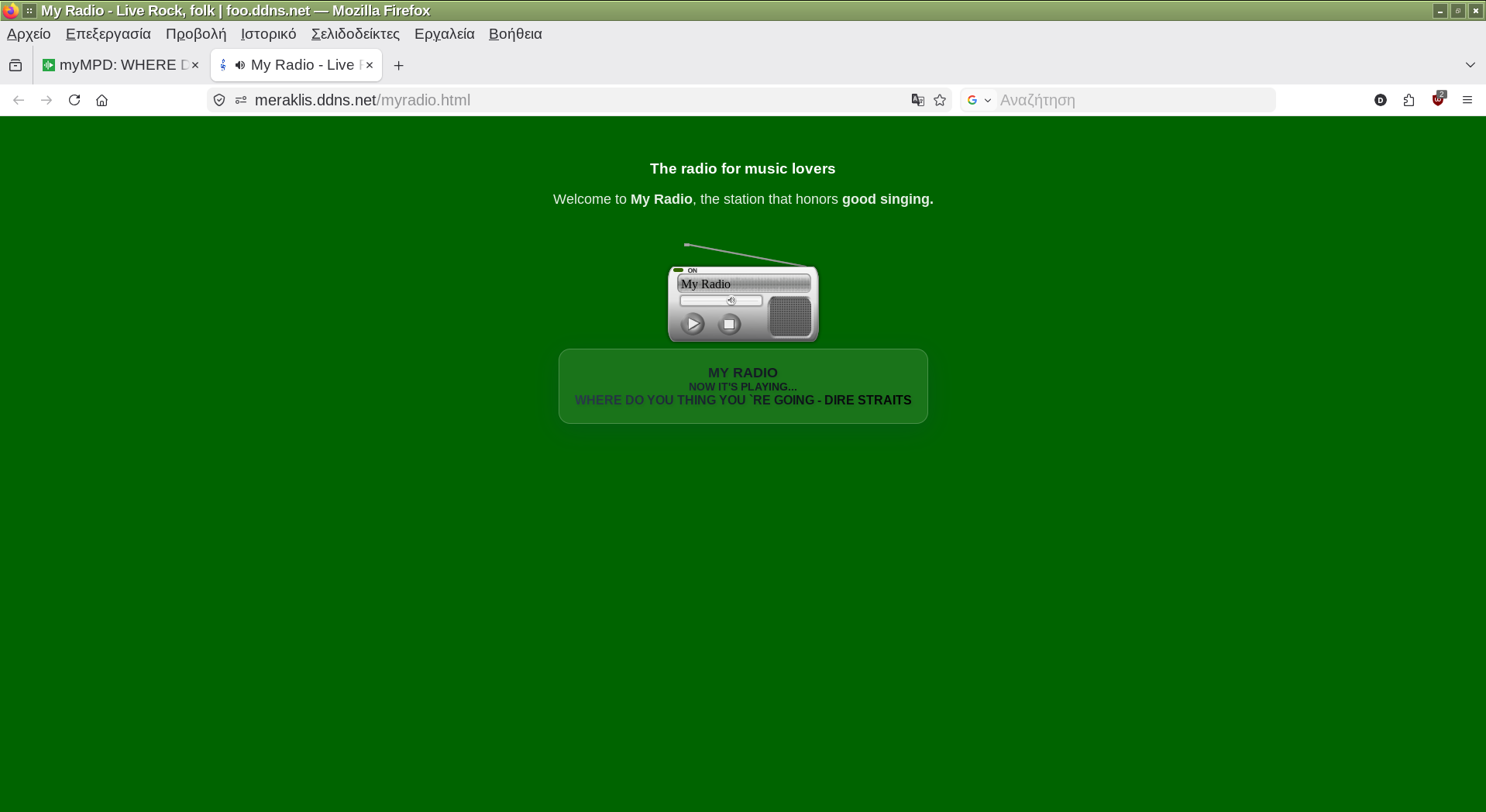
17. To have users to listen to your radio without to type https://foo.ddns.net:8443/live just https://foo.ddns.net
copy these to /var/www/htdocs/index.html
Code: Select all
####### index.html ############
<!-- Created by Dimitris Tzemos - March 2026 -->
<!DOCTYPE html>
<html lang="en">
<head>
    <!-- Primary Meta Tags -->
    <title>My Radio - Live Rock, folk | foo.ddns.net</title>
    <link rel="shortcut icon" href="/favicon.ico" />
    <link rel="canonical" href="https://foo.ddns.net">
    <meta name="title" content="My Radio - Live Rock">

    <style>
        body {
			background-color: #006400; /* The dark green you chose */
			color: #ffffff; /* White letters to be read everywhere */
			margin: 0;
			padding: 40px; /* A little more space to "breathe" the page */
			font-family: 'Segoe UI', Tahoma, Geneva, Verdana, sans-serif;
			min-height: 100vh;
			text-align: center; /* Centering to make the radio look nice */
			}

			h2 {
			font-size: 1.8em;
			color: #ffffff; /* I changed #333 to white to make it visible */
			margin-bottom: 10px;
			}

			p {
			font-size: 1.1em;
			opacity: 0.9; /* Slightly softer white for the text */
			}

			/* Style for the player container */
			#muses-container {
			margin-top: 30px;
			display: inline-block; /* To center correctly */
    </style>

 	<style>
    .music-widget {
        background: rgba(255, 255, 255, 0.1);
        backdrop-filter: blur(10px); /* Blur effect */
        border: 1px solid rgba(255, 255, 255, 0.2);
        border-radius: 15px;
        padding: 20px;
        display: inline-block;
        font-family: 'Segoe UI', Roboto, sans-serif;
        color: #333;
        box-shadow: 0 8px 32px 0 rgba(31, 38, 135, 0.15);
        text-align: center;
        min-width: 300px;
    }

    .widget-header {
        font-size: 1.8rem;
        text-transform: uppercase;
        letter-spacing: 2px;
        color: #888;
        margin-bottom: 8px;
    }

	.widget-info {
        font-size: 1.1rem;
       text-transform: uppercase;
        letter-spacing: 2px;
        color: #888;
        margin-bottom: 8px;
    }
    .radiostation-title {
        font-size: 1.1rem;
        font-weight: 700;
        text-transform: uppercase;
        background: linear-gradient(45deg, #2c3e50, #000000);
        -webkit-background-clip: text;
        -webkit-text-fill-color: transparent;
        text-shadow: 2px 2px 4px rgba(0,0,0,0.1);
    }

    .info-title {
        font-size: 0.85rem;
        font-weight: 700;
        text-transform: uppercase;
        background: linear-gradient(45deg, #2c3e50, #000000);
        -webkit-background-clip: text;
        -webkit-text-fill-color: transparent;
        text-shadow: 2px 2px 4px rgba(0,0,0,0.1);
    }

    #stream-info {
        font-size: 1.0rem;
        font-weight: 700;
        text-transform: uppercase;
        background: linear-gradient(45deg, #2c3e50, #000000);
        -webkit-background-clip: text;
        -webkit-text-fill-color: transparent;
        text-shadow: 2px 2px 4px rgba(0,0,0,0.1);
    }

     #radio-title {
        font-size: 1.0rem;
        font-weight: 700;
        text-transform: uppercase;
        background: linear-gradient(45deg, #2c3e50, #000000);
        -webkit-background-clip: text;
        -webkit-text-fill-color: transparent;
        text-shadow: 2px 2px 4px rgba(0,0,0,0.1);
    }

    #title {
        font-size: 1.0rem;
        font-weight: 700;
        text-transform: uppercase;
        background: linear-gradient(45deg, #2c3e50, #000000);
        -webkit-background-clip: text;
        -webkit-text-fill-color: transparent;
        text-shadow: 2px 2px 4px rgba(0,0,0,0.1);
    }

    #artist {
		font-size: 1.0rem;
        font-weight: 700;
        text-transform: uppercase;
        background: linear-gradient(45deg, #2c3e50, #000000);
        -webkit-background-clip: text;
        -webkit-text-fill-color: transparent;
        text-shadow: 2px 2px 4px rgba(0,0,0,0.1);
    }
	</style>
</head>

<body>
    <h2 style="font-size: 1.2em; color: #ffffff;">The radio for music lovers</h2>
    <p>Welcome to <strong>My Radio</strong>, the station that honors <strong>good singing.</strong></p>

    <div id="muses-container">
    <!-- BEGINS: AUTO-GENERATED MUSES RADIO PLAYER CODE -->
    <script type="text/javascript" src="https://hosted.muses.org/mrp.js"></script>
    <script type="text/javascript">
		 MRP.insert({
			'url':'https://foo.ddns.net:8443/live', <!-- Replace foo.ddns.net with your own domain -->
			'codec': 'mp3',
			'volume':65,
			'autoplay':true,
			'forceHTML5':true,
			'jsevents':true,
			'buffering':0,
			'metadataInterval': 15,
			'title':'My Radio',
			'welcome':'Welcome to...',
			'lang':'en',
			'wmode':'transparent',
			'skin':'oldradio',
			'includeInLayout': true,
			'width':205,
			'height':132
		});
    </script>
    <!-- ENDS: AUTO-GENERATED MUSES RADIO PLAYER CODE -->
    </div>

	<!-- ########################  For proxy.php ########################################################
	     ##  which shows a transparent rectangle where the title of current playing song appears ## -->
	<br>
	<div class="music-widget">
	<div class="radiostation-title">My Radio</div>
	<div class="info-title">Now it's playing...</div>
	<div id="stream-info">Loading...</div>
	</div>

	<script>
	const ICECAST_URL = "proxy.php";
	const MOUNT_POINT = "/live";
	async function updateSong() {
	  try {
		const response = await fetch(ICECAST_URL);
		const data = await response.json();

		// Finding the source (source)
		const sources = data.icestats.source;
		let currentSource;

		if (Array.isArray(sources)) {
		currentSource = sources.find(s => s.mount === MOUNT_POINT);
		} else {
		currentSource = sources;
		}

		if (currentSource && currentSource.title) {
			document.getElementById('stream-info').innerText = currentSource.title;
		}
		// Add check if mount point actually exists in the data
		if (currentSource && currentSource.title) {
		const songTitle = currentSource.title;
		// Avoid unnecessary updates to the DOM if the title has not changed
		if (document.getElementById('stream-info').innerText !== songTitle) {
			document.getElementById('stream-info').innerText = songTitle;
		}
		} else {
		document.getElementById('stream-info').innerText = "On air...";
		}

		} catch (error) {
			console.error("Connection error:", error);
		}
	  }
	// Run every 10 seconds
	setInterval(updateSong, 10000);
	updateSong(); // First run immediately
	</script>

</body>
</html>
proxy.php shows a transparent rectangle where the title of current playing song appears
Code: Select all
<?php
// We allow the browser to read the data (CORS)
header("Access-Control-Allow-Origin: *");
header("Content-Type: application/json; charset=utf-8");

// Τhe full URL of your Icecast statistics
$url = "https://foo.ddns.net:8443/status-json.xsl";  // replace foo.ddns.net with you own domain

$ch = curl_init();
curl_setopt($ch, CURLOPT_URL, $url);
curl_setopt($ch, CURLOPT_RETURNTRANSFER, true);
curl_setopt($ch, CURLOPT_SSL_VERIFYPEER, false); // Important for ddns/self-signed SSL
curl_setopt($ch, CURLOPT_USERAGENT, "Mozilla/5.0 (Windows NT 10.0; Win64; x64)");

$response = curl_exec($ch);
curl_close($ch);

// If Icecast returns JSON in a callback or has spaces, we clean it up
echo trim($response);
?>
To see the "My Radio" running on my laptop, i have changed the foo.ddns.net to meraklis.ddns.net and also i discovered that running two instances of icecast, mpd and mympd with different configurations can have two stations to stream different songs under the same dynamic ip.
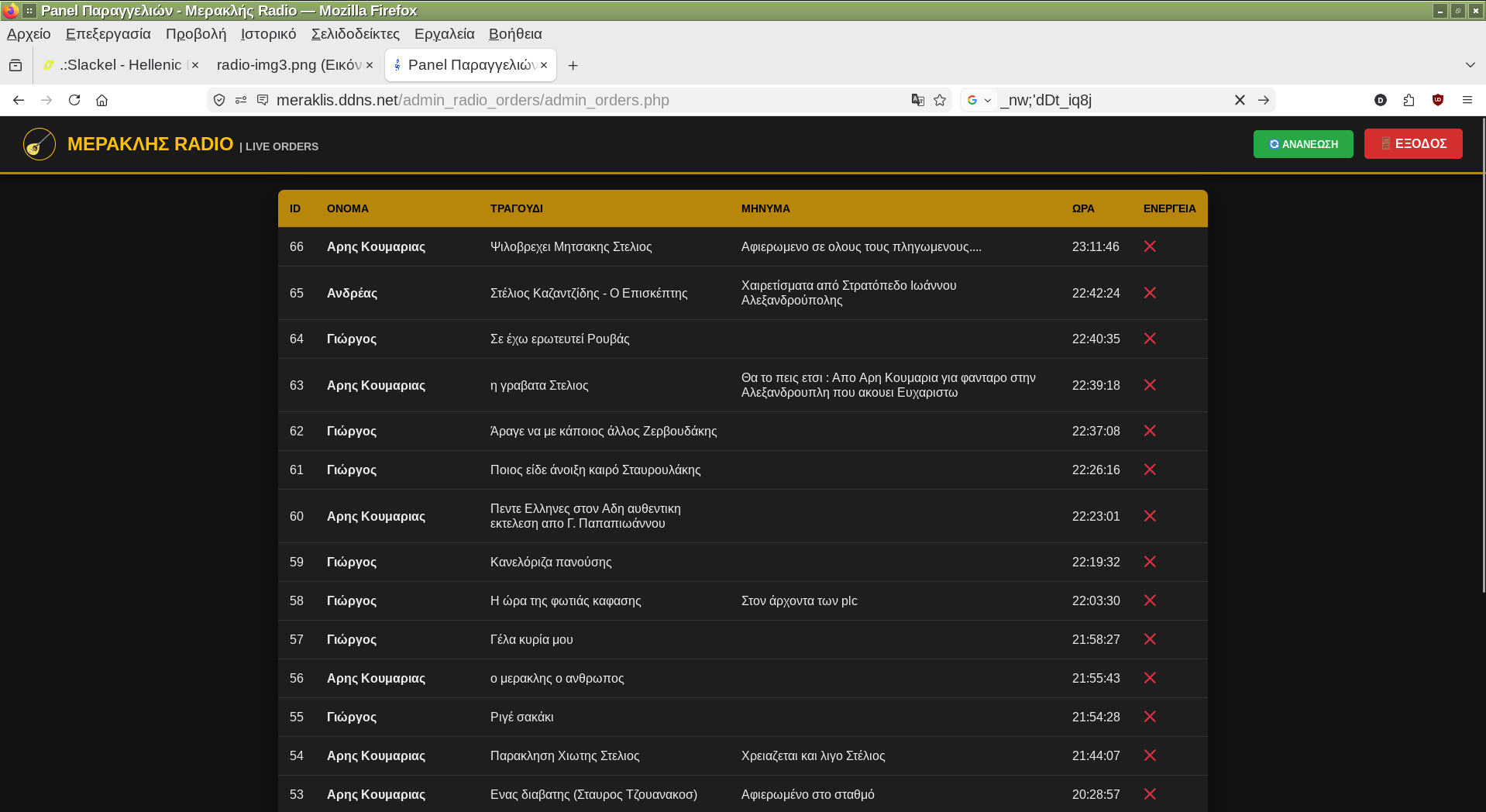
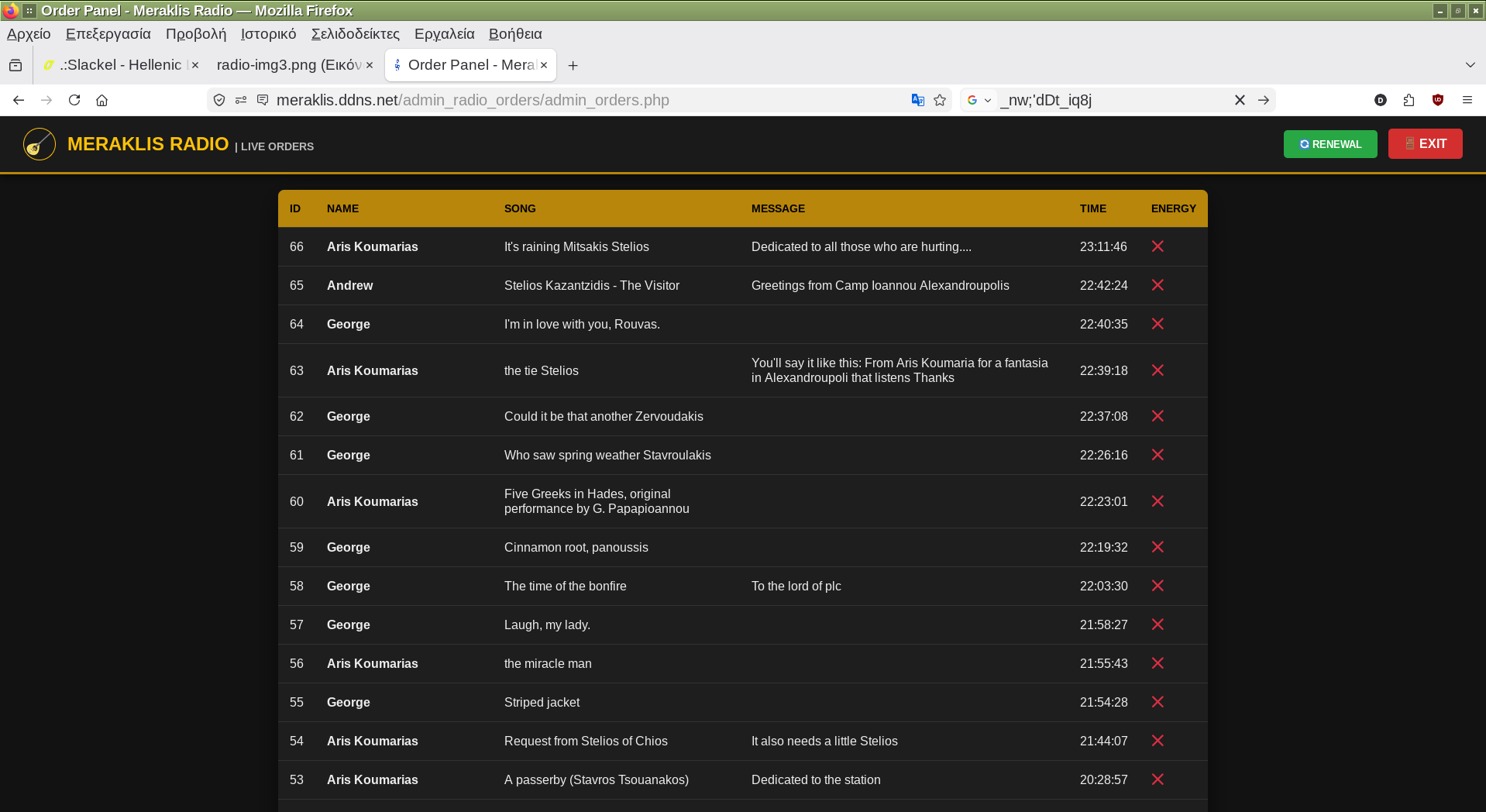
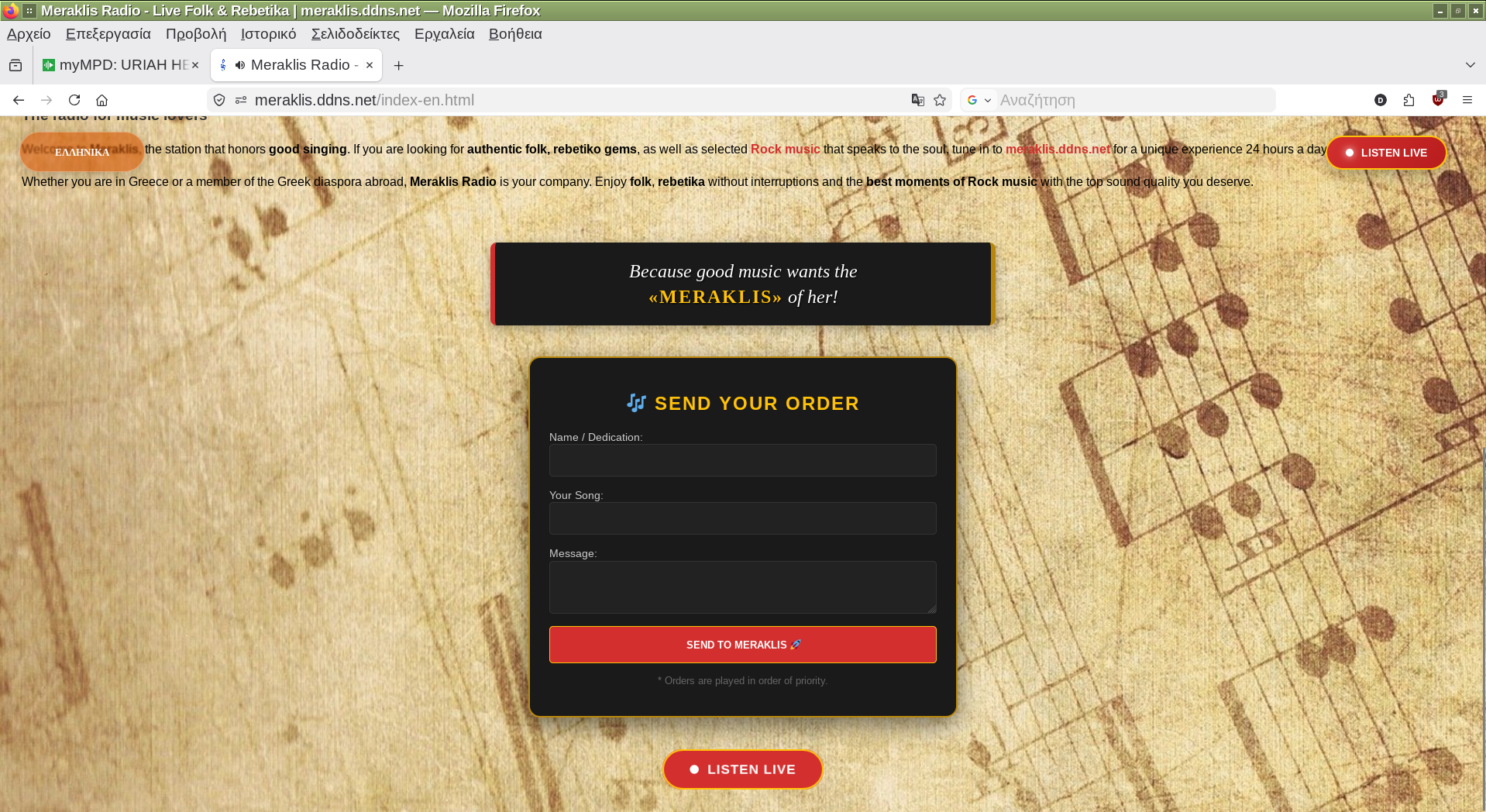
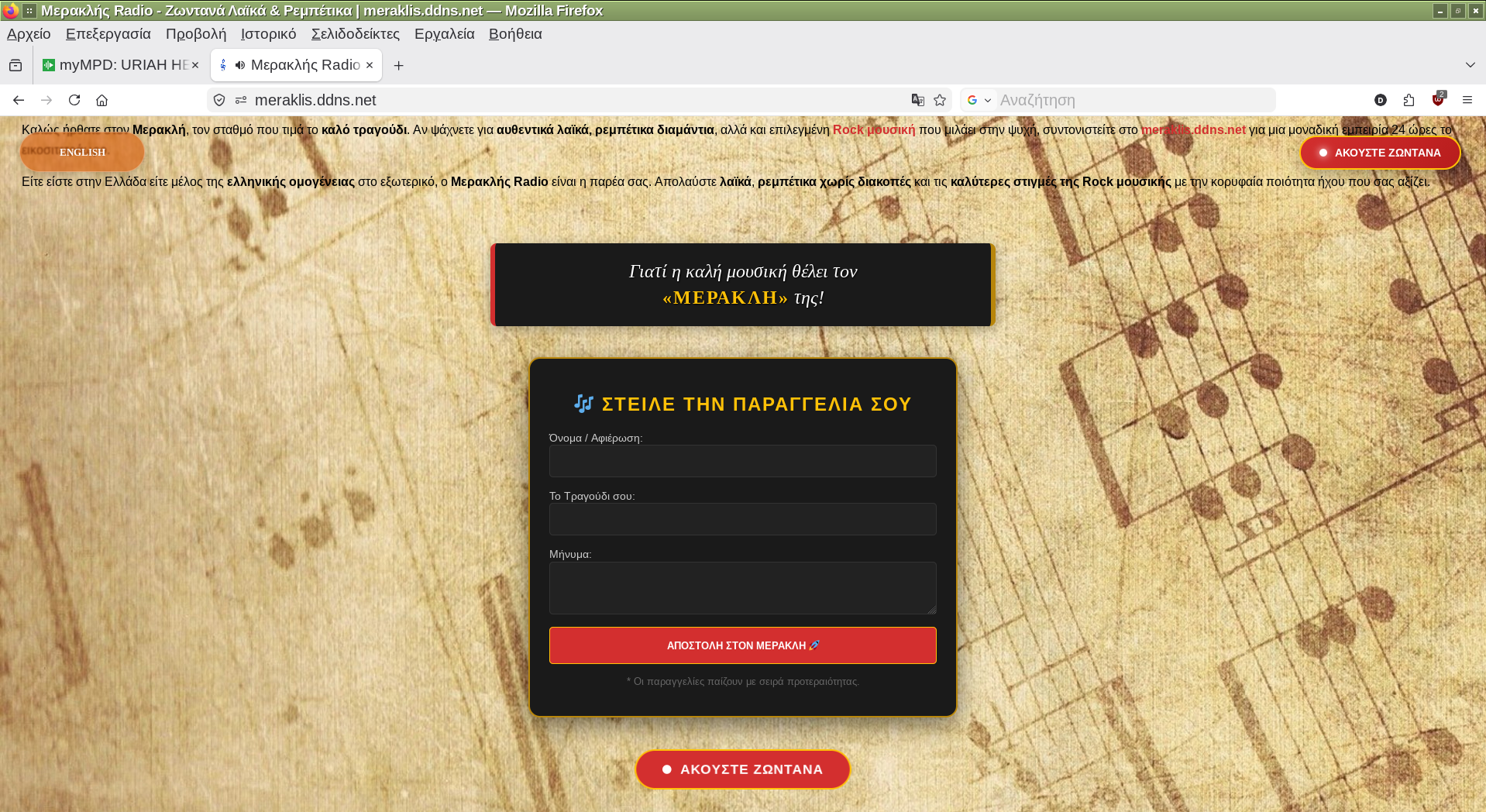
Furthermore can create some php pages and a mysql database where listeners can send you radio orders to play. If anyone is interesting can tell me to send or post here the php files and details. You can see the admin_radio_orders page in the admin_orders-img3.png and admin_orders-img2.png on the screenshots link bellow.
The two radio stations My Radio created for this post and Meraklis Radio are running on my lenovo laptop 8GB RAM and from a 64GB USB stick where slackel is installed (real installation), two years ago, which upgraded to latest updates almost every day because of slackware current tree.
More Screenshots screenshots
MyMPD web UI
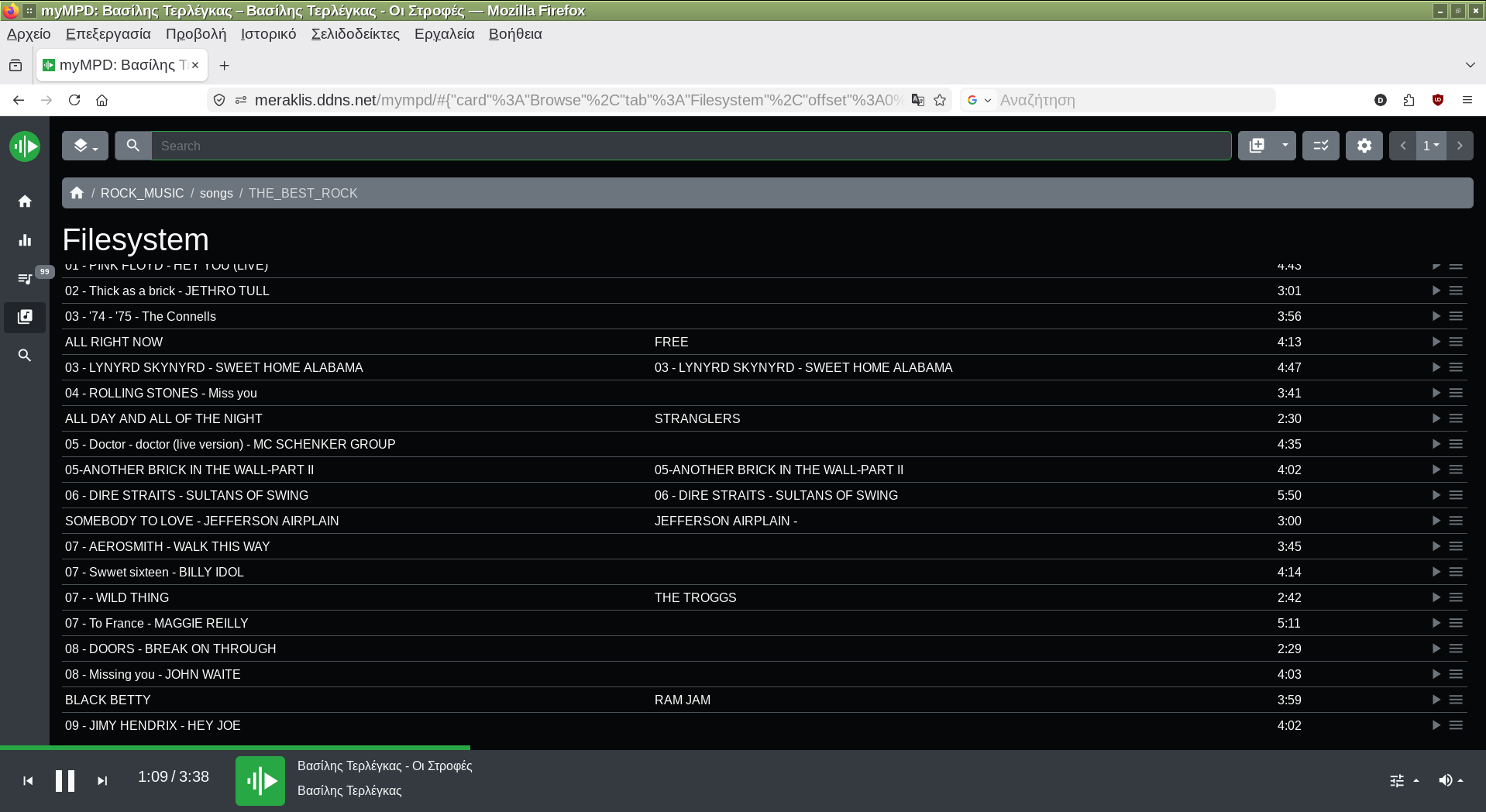
MyMPD web UI
"My Radio" station we created streaming
"Orders page" in English
"Orders page" in Greek
icecast media server web UI